
Isolate

Isolate is new in the 0.17.5 pre-release.

A full canvas shows every wire at once. Isolate on the toolbar draws only what you are looking at: the chain a row is wired to, or a node you pick and its neighbours, laid out to fit the window.
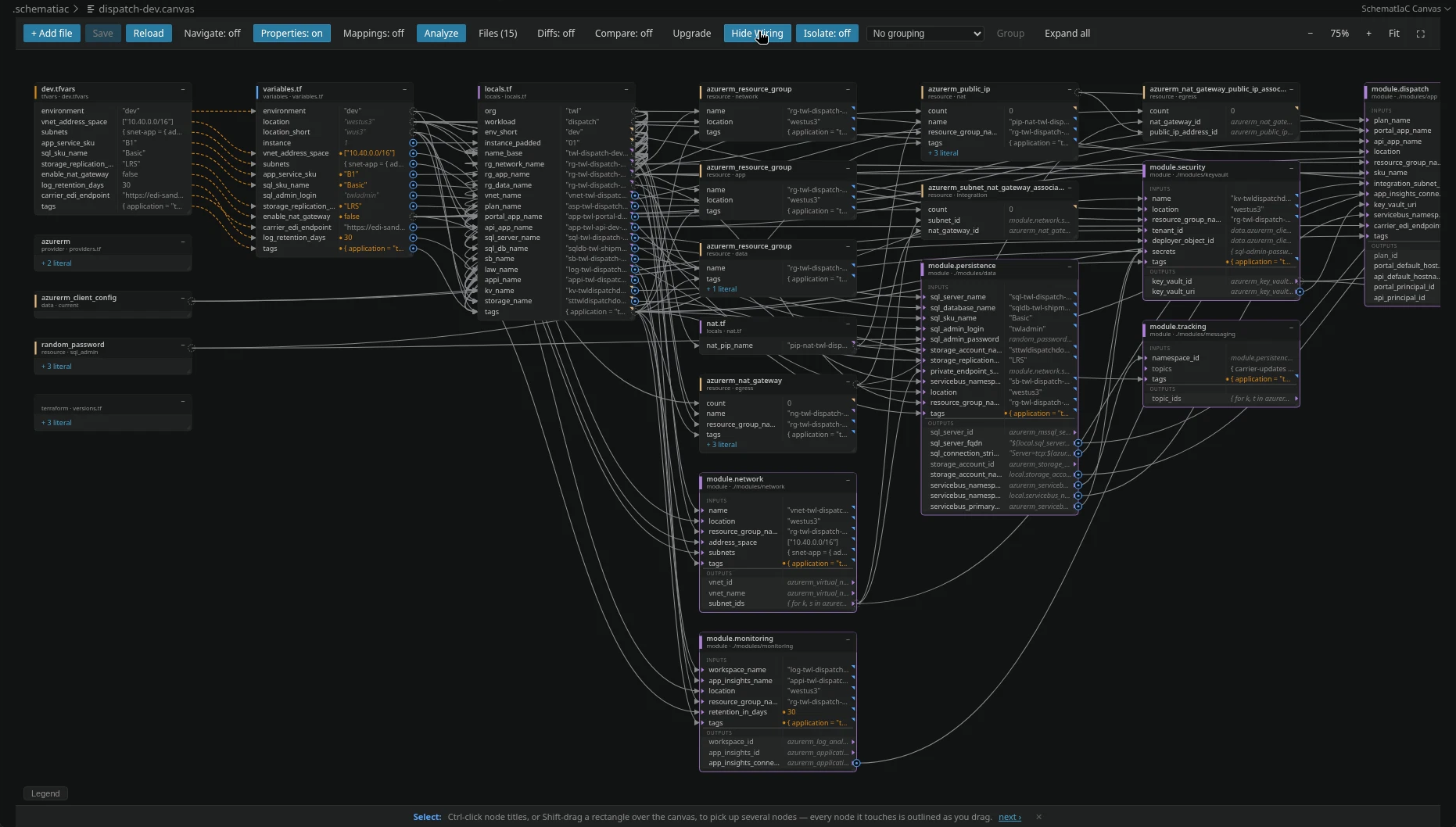
Isolate off: the whole canvas, every node and every wire.

Pick a node or a row

With Isolate on, pick a node and only its chain stays on the canvas.
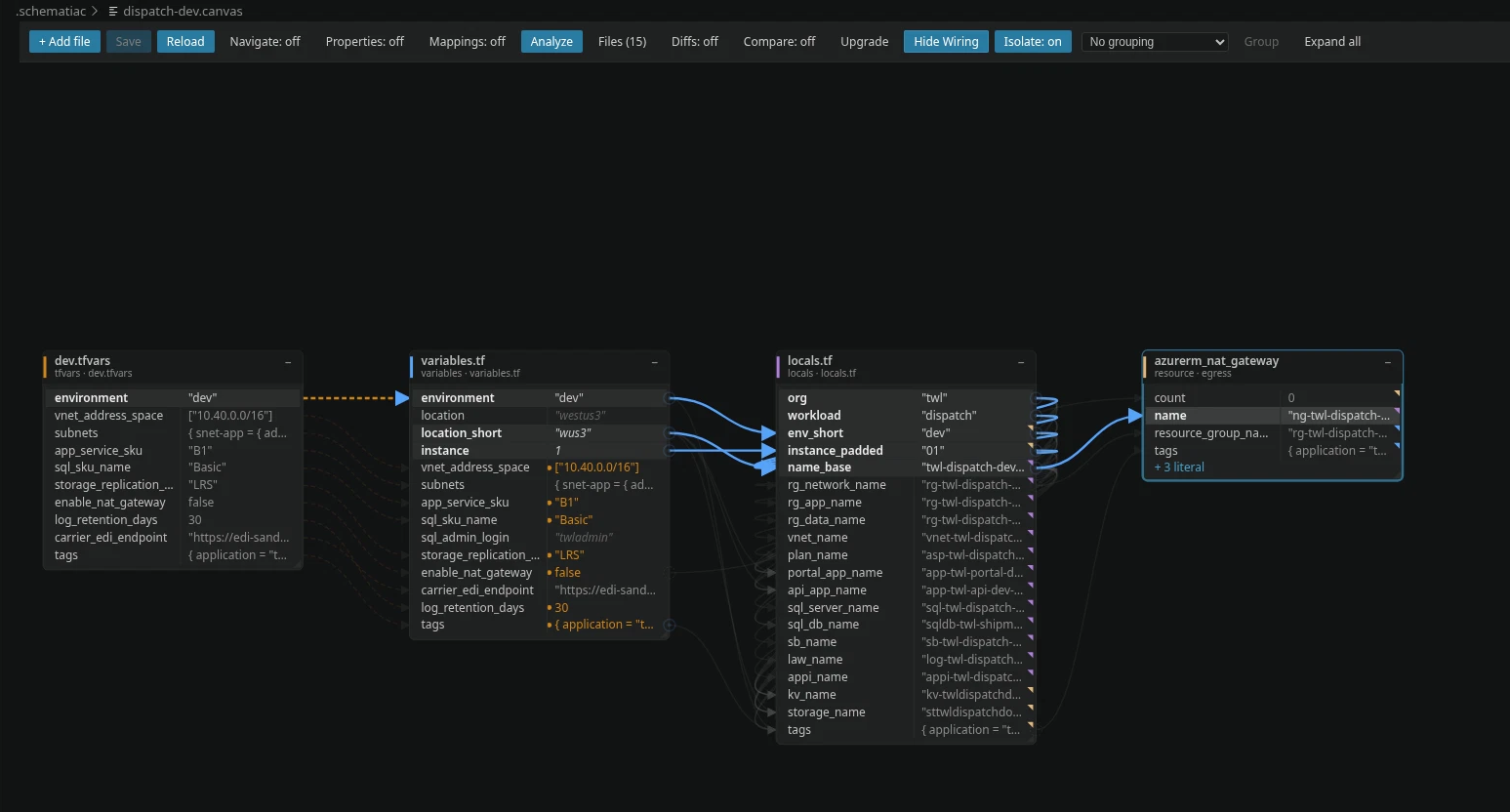
Isolate on with azurerm_nat_gateway picked: dev.tfvars, variables.tf, locals.tf and the gateway are all that is drawn.

Pick a row instead and the view is everything that row is wired to.
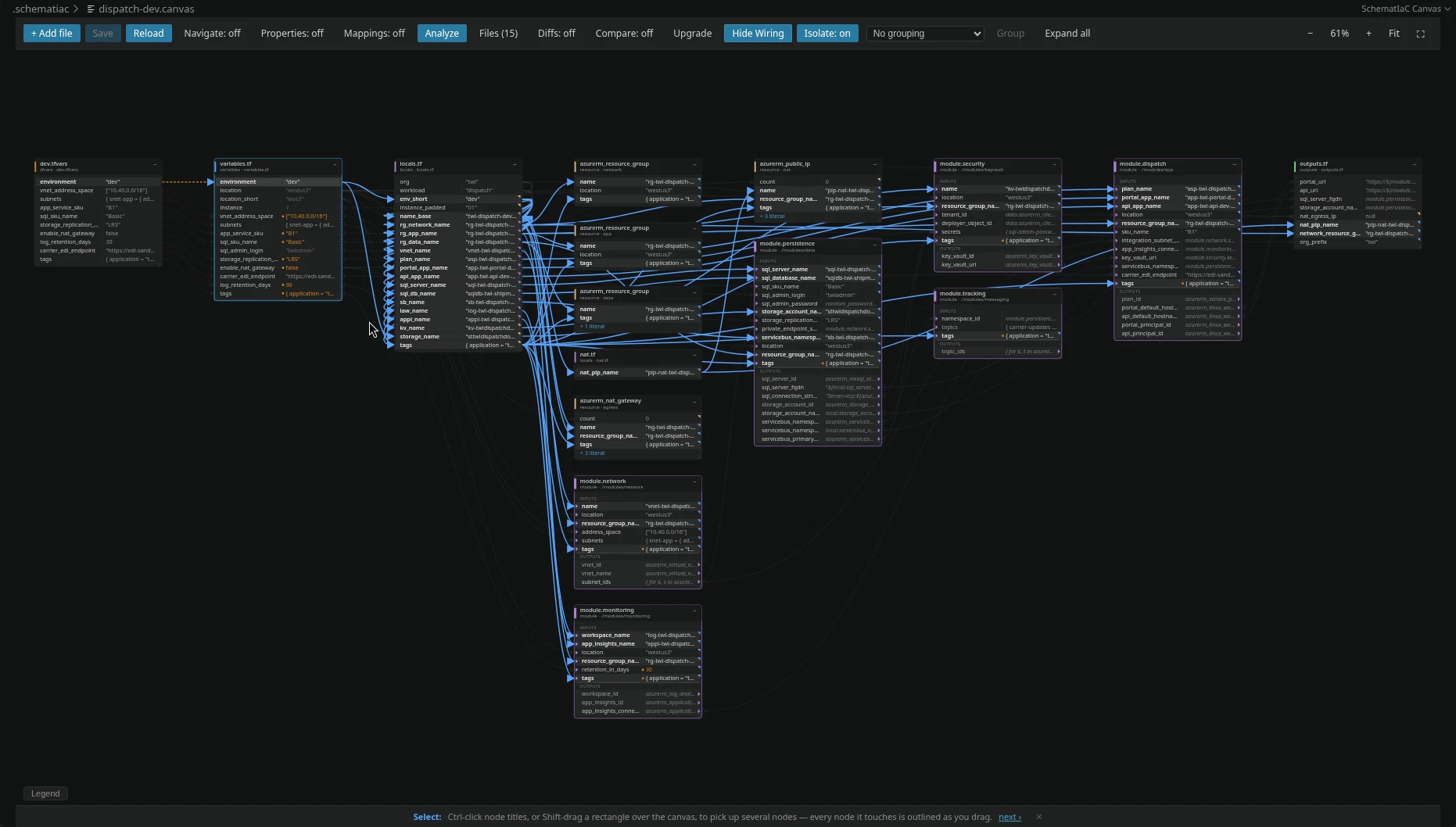
Isolate on the environment row: everything wired to it, from dev.tfvars through locals.tf to the resource groups, the modules and outputs.tf.

Follow the next node

Click another node and the isolated view moves to it.
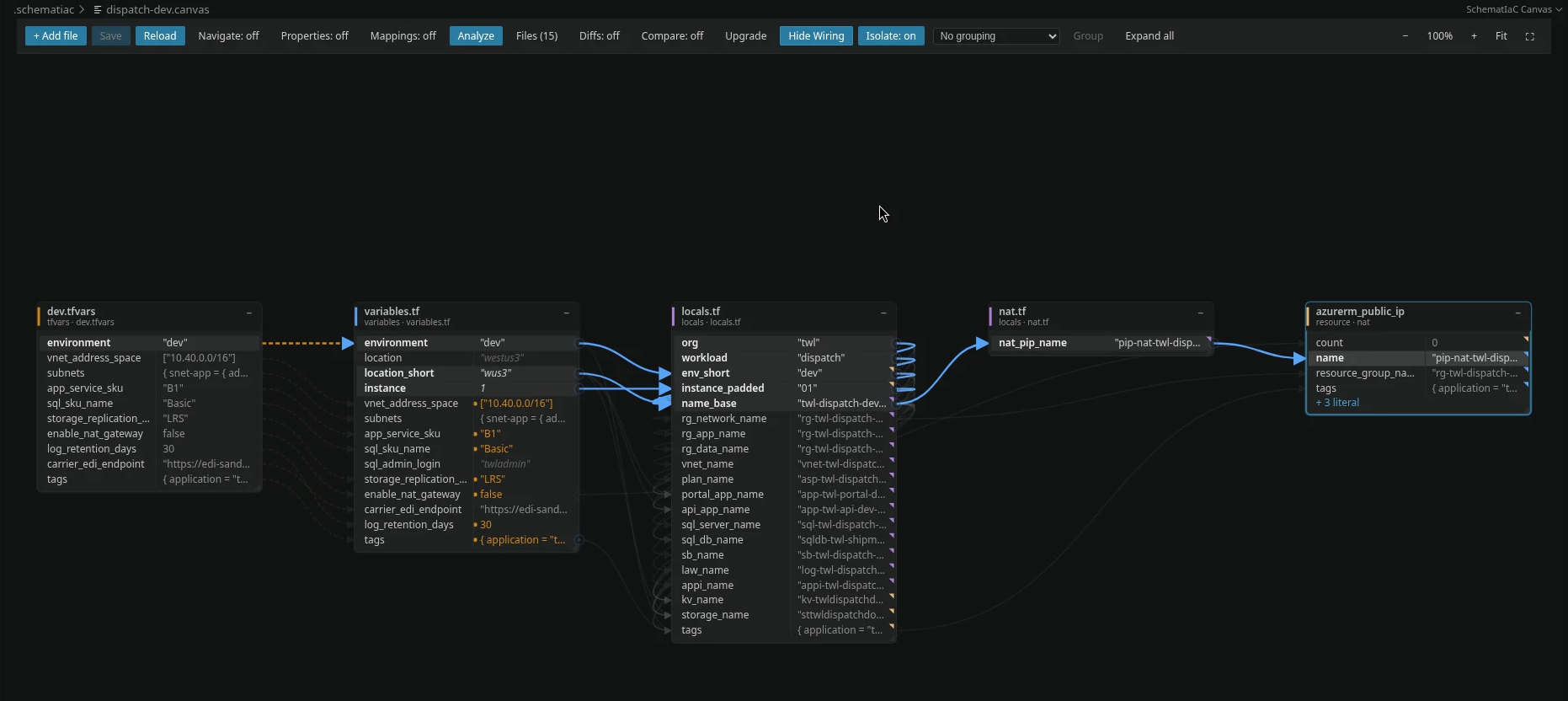
Clicking azurerm_public_ip moves the view: the chain now runs through nat_pip_name in nat.tf.

The same move answers what reads a remote state.
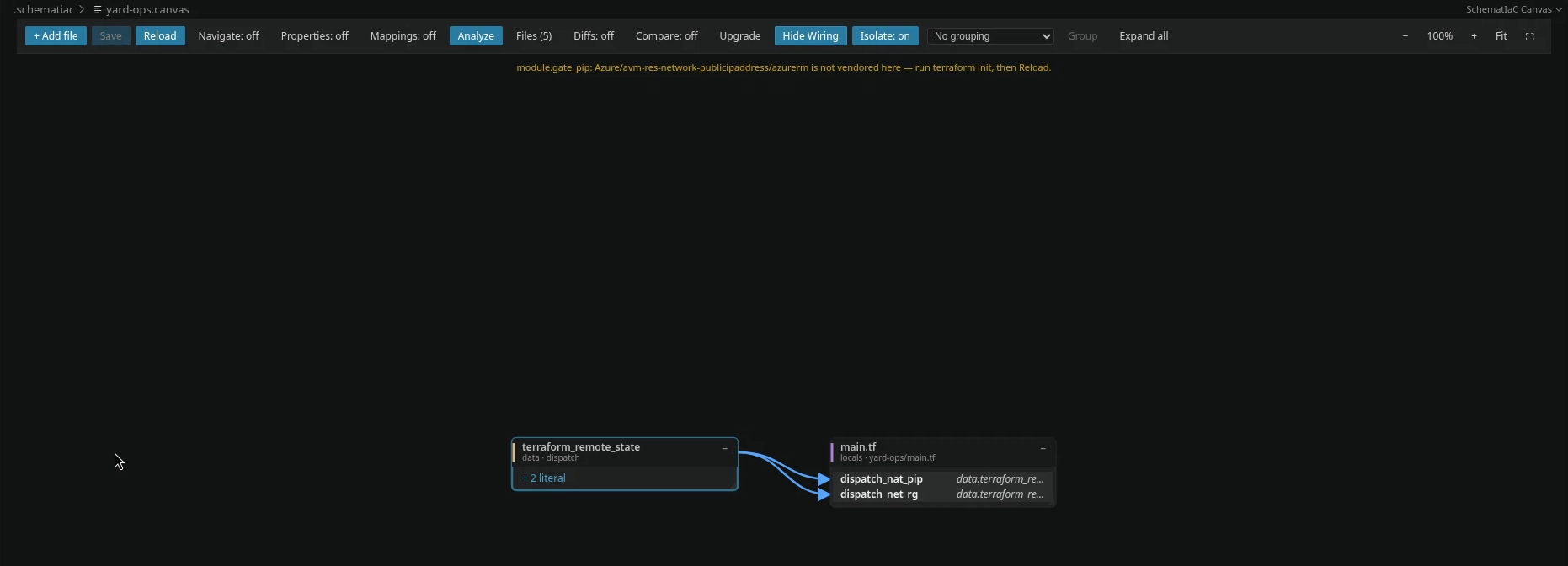
A terraform_remote_state data source and the two locals in main.tf that read it.

Turning it off

Isolate is a view. Turning it off brings your saved layout back untouched. Turning on a grouping ends Isolate.
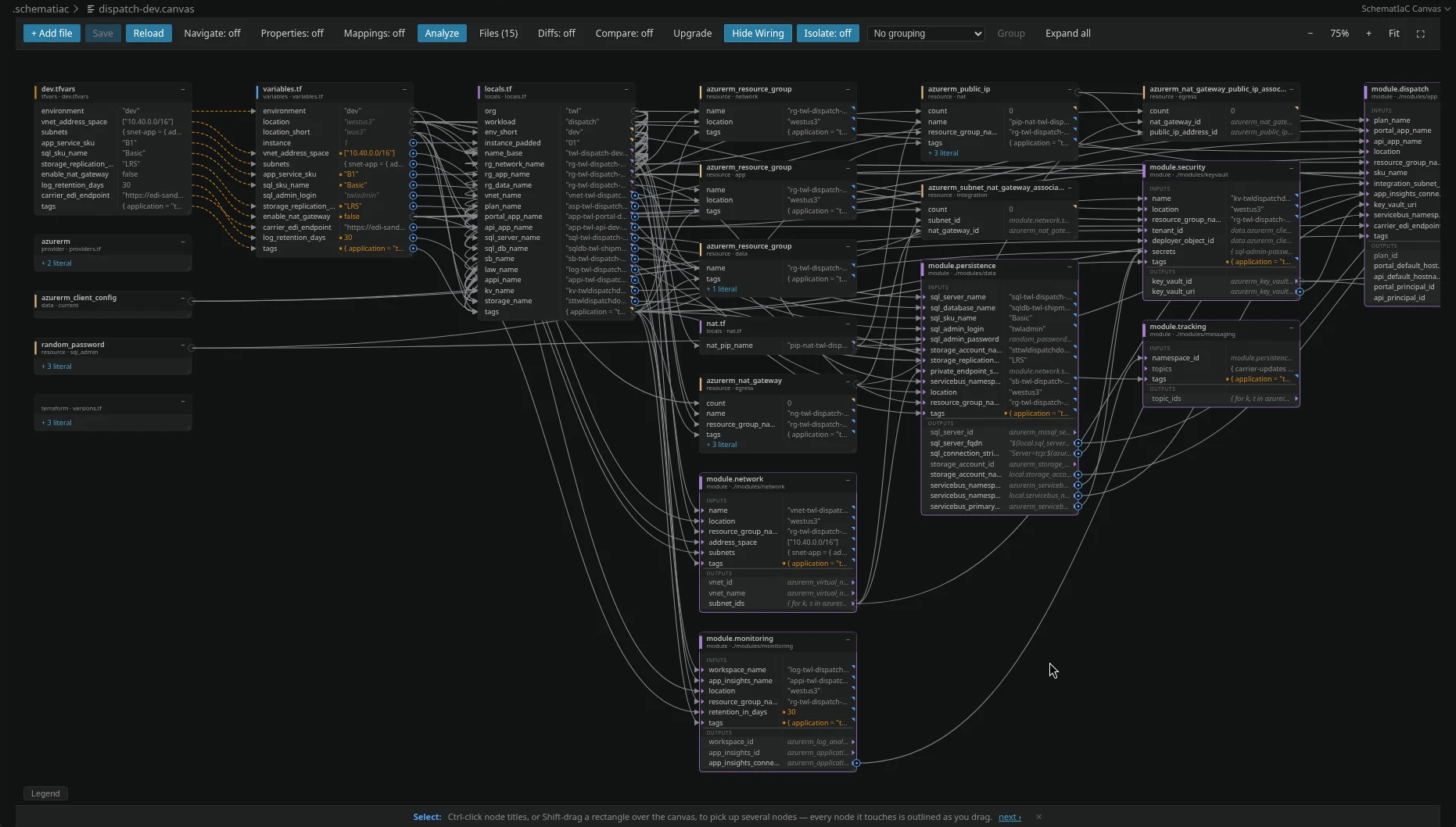
Isolate off again: the saved layout, exactly as it was.