 SchematIaC Docs
 The canvas
The canvas works the same way for both languages. The mapping below is written in Terraform terms; Bicep lines up block-for-block (param/var/output and resources by symbol), and Terraform covers the .tf/.tfvars specifics.
What becomes what
| Terraform | On the canvas |
|---|---|
resource, data, module | one node each, attributes as rows |
variable blocks | one node per file, one row per variable |
.tfvars entries | one node per file, one row per assignment |
locals, output blocks | one node per file, one row per name |
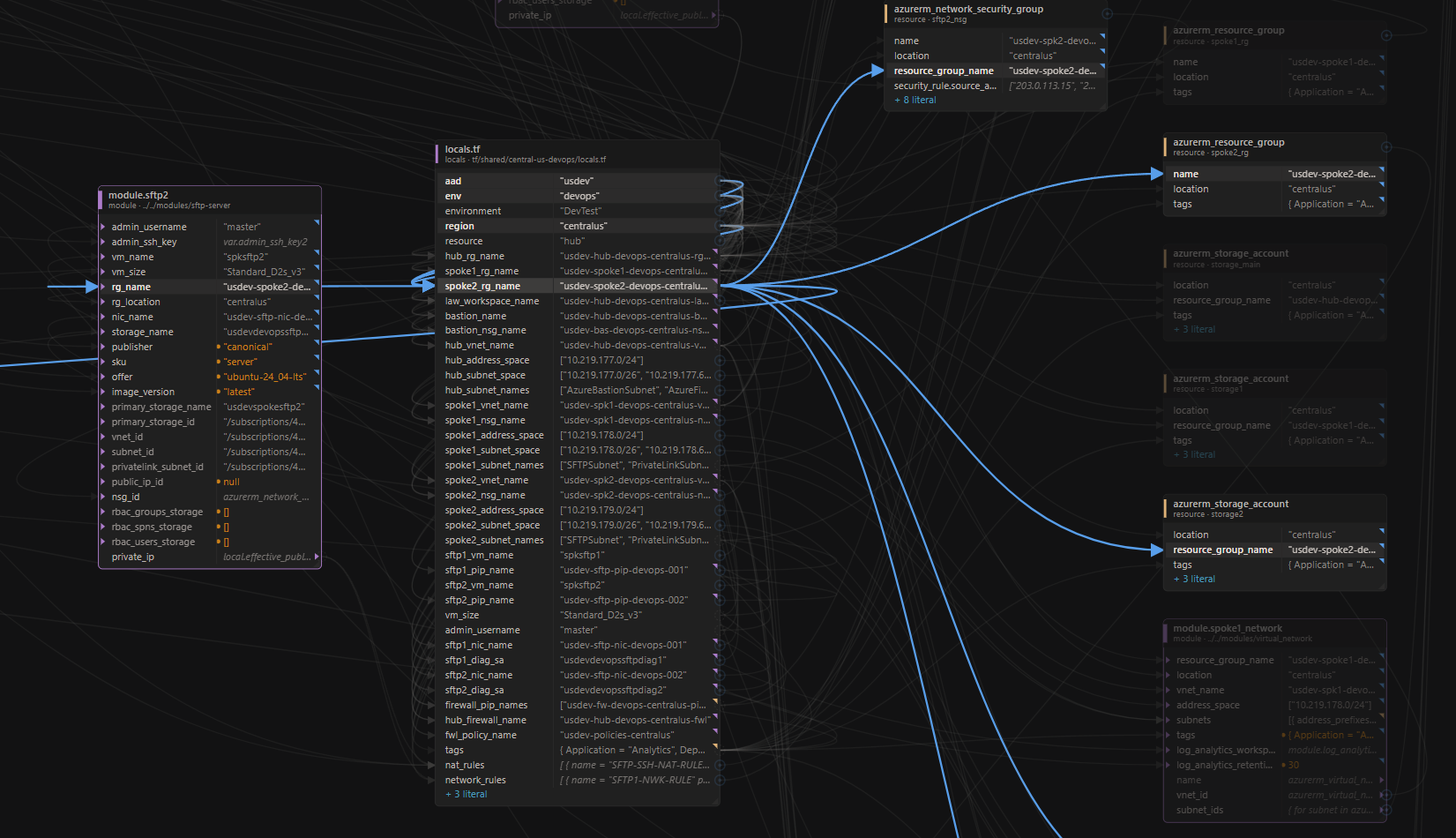
var.x, local.y, aws_vpc.main | a wire into the consuming row |
| a tfvars key matching a variable | a dashed bind wire (not editable) |
| nested blocks | flattened to dotted rows (root_block_device.volume_size) |
Declarations group per file because they are bags of named values; resources are objects and stay individual. A wire from a resource to a resource anchors at the source node’s header, because the attribute being read (aws_vpc.main.id) is computed, not in the file.
Value marks
Every row shows its effective value — what Terraform would actually use — and a corner mark says how it got there:
- reference — the value comes from another block (
var.x,local.y) - interpolated — a string built with
${…} - expression — computed (
merge(...), conditionals) - override dot — a tfvars or workspace value displaced the default
- no mark — a literal, written exactly as shown
Hover any marked value for the definition behind it. Anything that cannot be known before terraform apply says so honestly — it reads unknown or unresolved rather than guessing. The collapsible Legend in the corner repeats all of this next to the canvas, including what a red name means.
A list or object shows as structure, and one value inside it can be edited without touching its neighbours.
Tracing
Click a row to light up its whole lineage, upstream and downstream; everything uninvolved dims. Click a node header for the node’s full fan-in and fan-out. Click empty canvas to clear.
Navigate (toolbar) follows your selection into the text editor: the file opens beside the canvas with the exact line marked. A click in the file panel overrides the canvas selection.
Mappings
Pick a row and the Mappings panel shows both directions at once: what feeds it, and what reads it.
Layout
New nodes lay out left-to-right by dependency: tfvars feed variables feed resources. Drag nodes wherever you like — positions persist in the .canvas file, one line per node, so parallel edits merge cleanly. Nodes can be resized, and the name/value column split adjusted. Moving things never touches your Terraform.
Ctrl-click node titles, or Shift-drag a rectangle over the canvas: every node it touches is outlined while you drag. Walk a node’s rows with the arrow keys. Expand or collapse one node or the whole canvas. Rows with a staged, unsaved change are highlighted.
Grouping
Two kinds of grouping:
- View grouping. The Group picker turns the canvas into labelled containers — by file, or by a resolved attribute such as
locationorresource_group_name. A container folds to a single box; wires crossing the fold re-route to its edge. Grouping is a view: your saved layout is parked and comes back untouched when you switch back to No grouping. - Hand groups. Gather selected nodes into a box you can fold away, move an open group by its title, carry a folded one anywhere. What lands inside a group is decided by where you drop it.
The file panel
Files (toolbar) lists every file on the canvas as a collapsible tree with the resources each contributes. Click a file to light up everything it adds; click a resource to focus that node; right-click to open the file. Files with unsaved editor changes are marked.
The Overview panel shows the project’s folder structure at a glance, with a door from each folder into its canvas.