 SchematIaC Docs
 Simulated workspaces
Simulated workspaces are a Terraform feature. A Bicep canvas models environments with more than one .bicepparam file instead — see Bicep.
One canvas is one definition — the same model as Terraform itself. To see what that definition becomes in dev, test or prod, a canvas can hold simulated workspaces: named sets of variable values, applied over defaults and tfvars exactly as a real workspace would inject them at plan time.
Build one
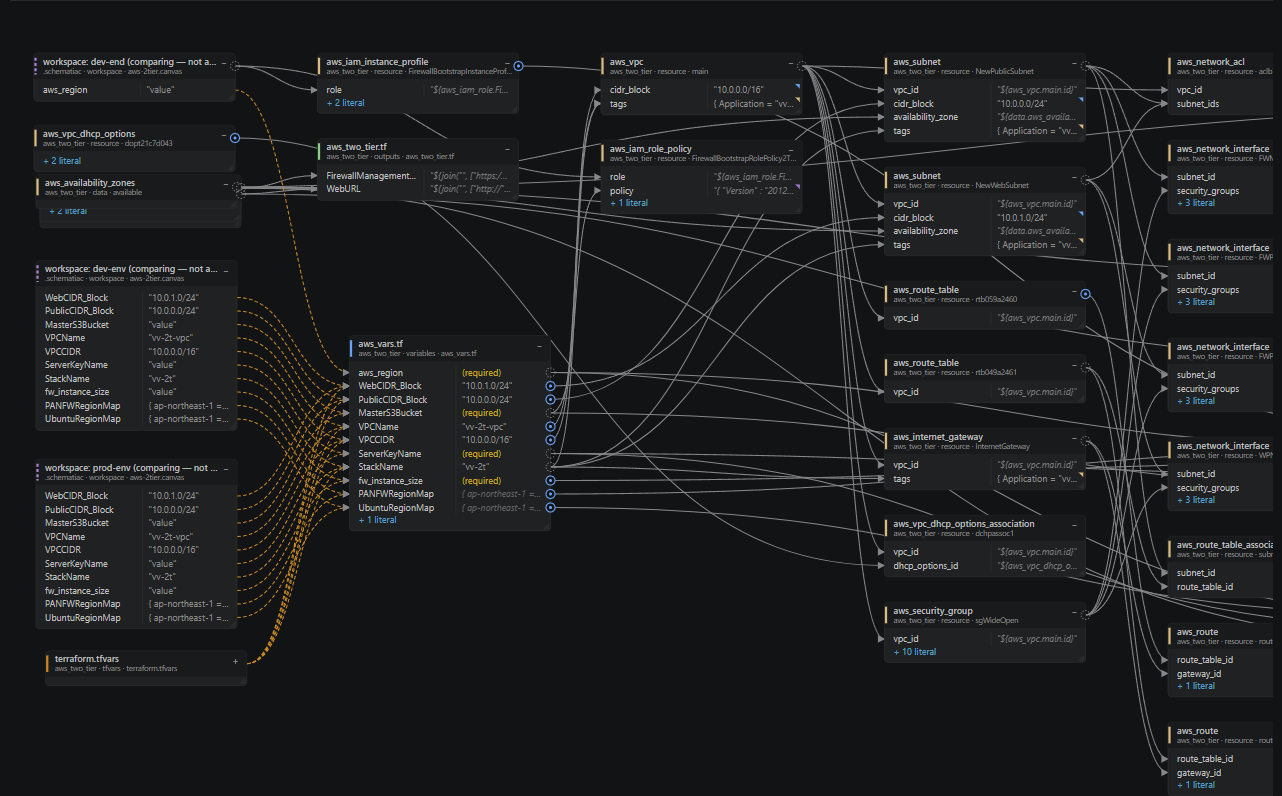
Right-click a variable row and give the workspace a name and a value for that variable. Add more variables the same way. Every workspace shows as a node whose rows bind into the variables they set, with the override dot on anything they displace.
Switch and compare
The toolbar picker switches the active workspace — the whole canvas re-resolves under its values — or shows all workspaces at once for comparison. In the compare view every workspace binds in but none applies, because Terraform only ever runs under one.
Duplicate and export
A workspace can be duplicated (start qa from demo) and exported as a .tfvars file, ready for -var-file. The export says where it came from; check any placeholder values before using it against real infrastructure.
Where the values live
Workspaces are stored in the .canvas file, hand-editable between canvas actions:
workspaces = {
  "dev" = {
    vnet_address_space = ["10.20.0.0/16"]
    client_secret      = "secret1"
  }
}
workspace = "dev"   # the active one — or "*" to compare all
Use placeholders for secrets, as above. The point of a workspace value is tracing where it flows, not knowing the real secret — and the .canvas file is meant to be committed.